Spinbetter Sign Up
Welcome Bonus
For new players
+ 150 Free Spins
18+ only. T&Cs apply.
Spinbetter Sign Up is the way to get started with sports betting, online casino games, and bonus offers on one of the fastest-growing sites among Nigerian players. It only takes a couple of minutes to create a new account with Spinbetter and opens the door to pre-match and live betting, high-value exclusive offers, and stable finances. This guide will walk you through the registration process and help you start playing and betting in Nigeria.
How to Sign Up on Spinbetter
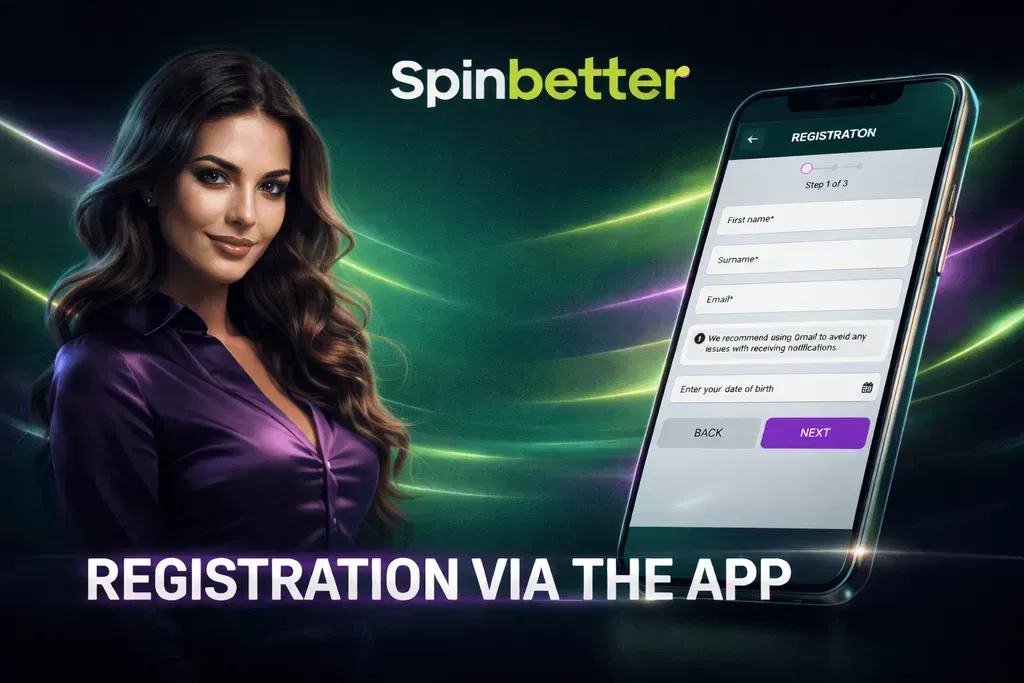
Opening a Spinbetter account is easy, and you can do it on the official website or in the mobile app. The platform offers several registration methods, so you can choose between different options and pick the one that suits you best.
Registration Methods
When you visit the Spinbetter homepage and click the Register button, you will see several options for choosing the type of account to create. Nigerian users can register with:
| Registration Method | Speed | Verification Type | Best For |
|---|---|---|---|
| Fast | Email link confirmation | Users who prefer classic login | |
| Social Networks | Instant | Social account confirmation | Quick access without passwords |
| Mobile App Registration | Fast | Same as selected method | App users |
All methods collect the necessary information—such as your personal details, contact information, country, and login details—to set up your account as quickly and securely as possible.
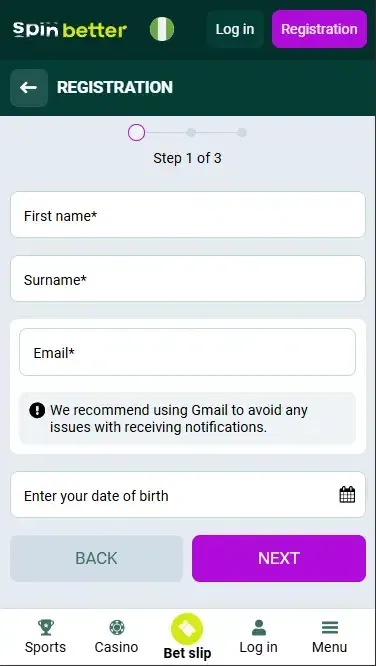
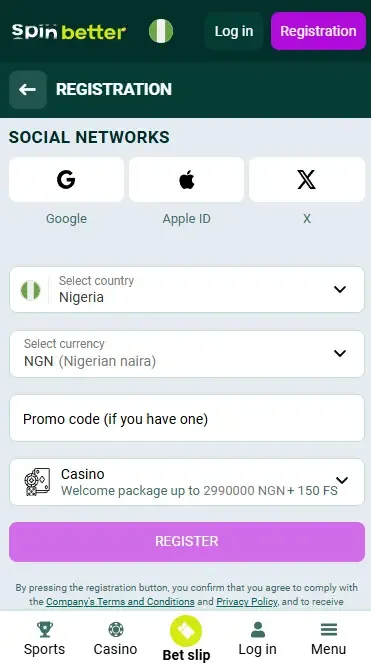
All you need to do is click the icon of the social platform you prefer, follow the on-screen instructions, and in minutes, your Spinbetter registration will be complete.
Registration Requirements
Our registration has a few simple requirements you must meet to successfully register on Spinbetter:
Be at least 18 years old.
Provide accurate personal details (name, email/phone, date of birth).
Accept Spinbetter's terms and conditions.
Spinbetter allows only one gaming account per person, and identity verification (proof of identity) may be required to secure your new account and access all bonus and withdrawal features.
Spinbetter Login
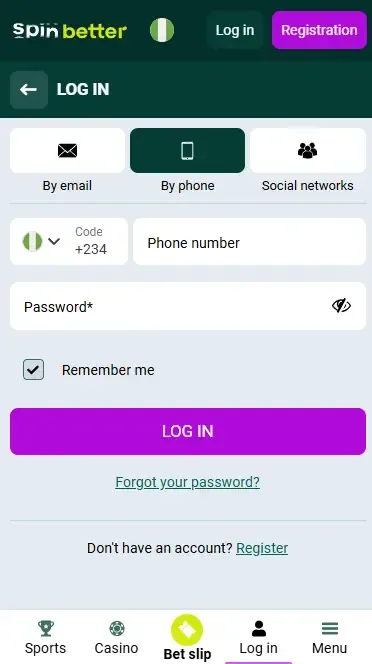
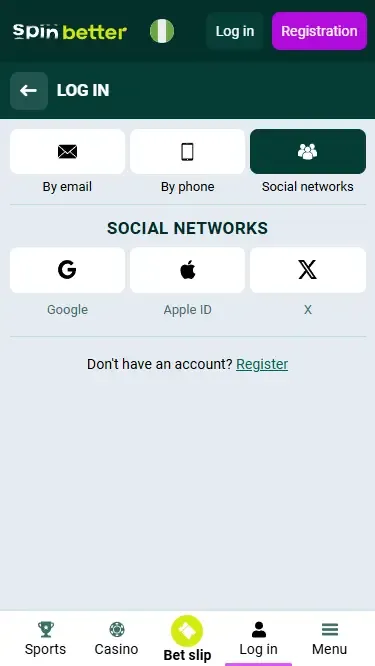
Once you've created your new Spinbetter account, you can easily log in using alternative methods depending on how you registered.
| Login Method | Password Required | SMS Code | Recommended For |
|---|---|---|---|
| Email Login | Yes | No | Desktop users |
| Phone Login | No | Yes | Mobile users |
| Social Login | No | No | Quick access |
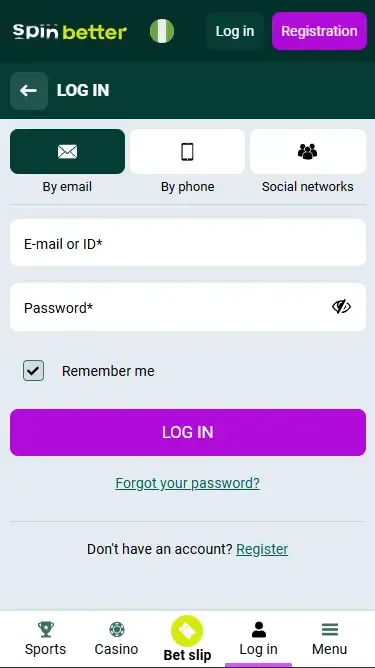
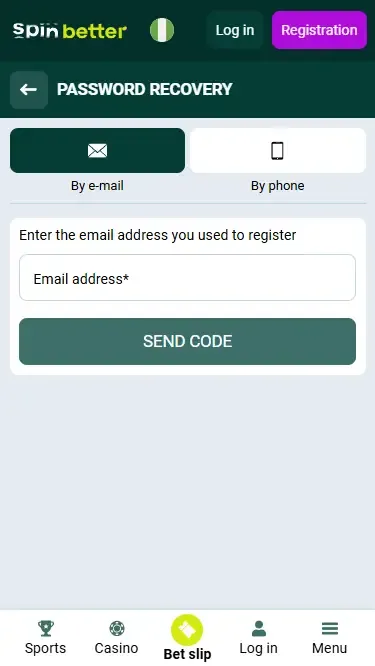
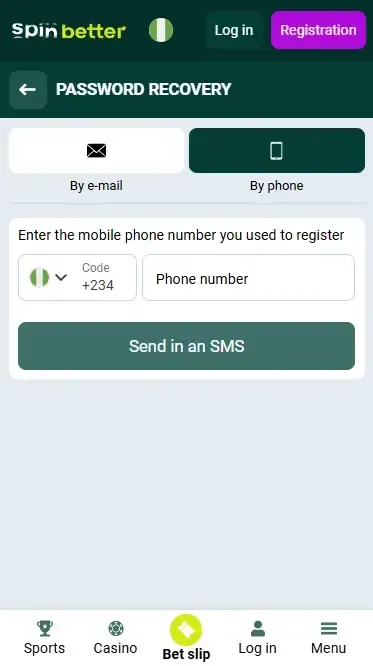
Ensure that you can access that email account, as you will receive instructions on how to reset your password there.
New Account Verification
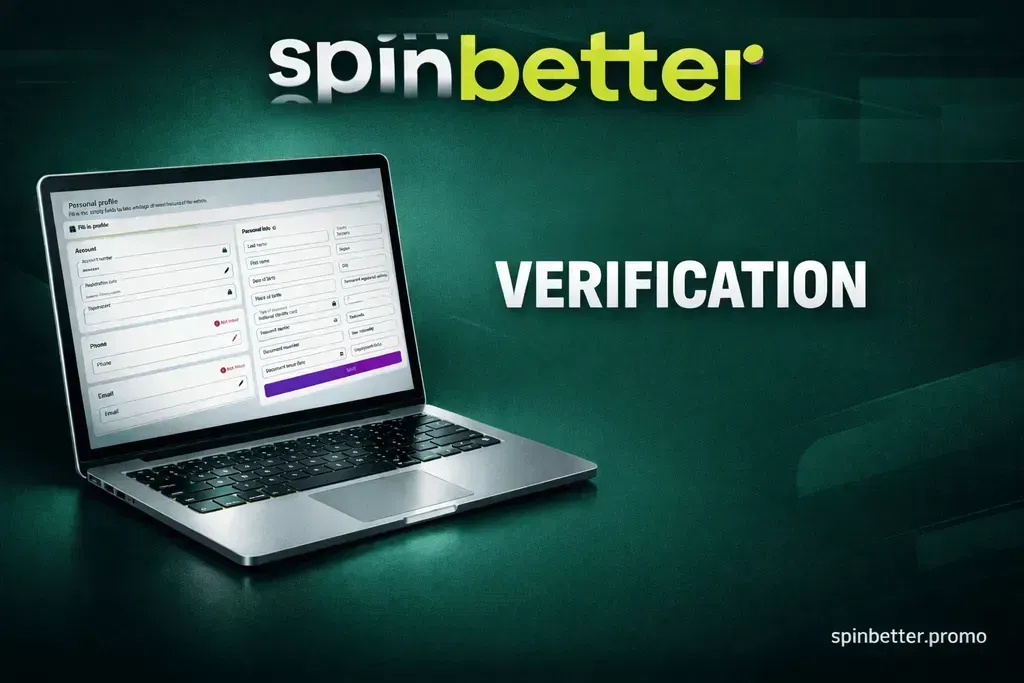
Once you create a new account, you will be asked to confirm your new Spinbetter account. This is necessary to unlock all account features, such as bonuses, deposits, and most importantly, withdrawals. Verification also helps Spinbetter confirm that all players are who they say they are.
Why Spinbetter Requires Verification
Documents Required for Verification
When Spinbetter requests verification, you will most likely be asked to provide clear photos or scans of documents such as:
A government-issued ID card or passport showing your photo and date of birth.
A utility bill or bank statement showing your name and address (issued within the last 3 months).
If necessary, proof of your payment method (for example, a photo of your card).
Make sure all document photos are sharp and clear so the verification team can verify you as quickly as possible.
How Long Does Verification Take?
Spinbetter will review your documents after you submit them. The review is usually completed within 72 hours, and sometimes within a few hours. Your Spinbetter account will then be fully verified, and you will be able to make deposits and withdrawals and claim all bonus offers.
Bonuses for New Players
After completing your Spinbetter sign-up and verification, new players can enjoy a range of promotions and bonuses designed to enhance your betting experience from the moment you start using the services.
Spinbetter Welcome Bonus Options
Spinbetter offers new players flexible welcome bonuses, which may vary depending on the product you want to enjoy: sports betting or online casino games. One of the bonuses available to new users is a sports betting bonus that matches your first deposit—often a 100% match—so you have extra funds to place bets.
In other words, when you make a qualifying deposit, Spinbetter will credit bonus funds to your account, allowing you to bet more and potentially win more.
How to Claim a Spinbetter Welcome Bonus

Make sure you review the detailed terms and conditions, including the minimum deposit amount and odds requirements, which explain how you must wager the bonus before you can withdraw any winnings.
Key Features of Spinbetter Bonus
Boosted funds: Extra funds to place bets without putting all your money at risk.
Flexible use: Bonuses can often be used for both casino games and sports betting (depending on the offer).
Time limits: Bonuses usually have a fixed validity period and must meet wagering requirements.
You need to understand how to use and clear your bonus, which is why you should carefully read the bonus terms.
Available Deposit Methods
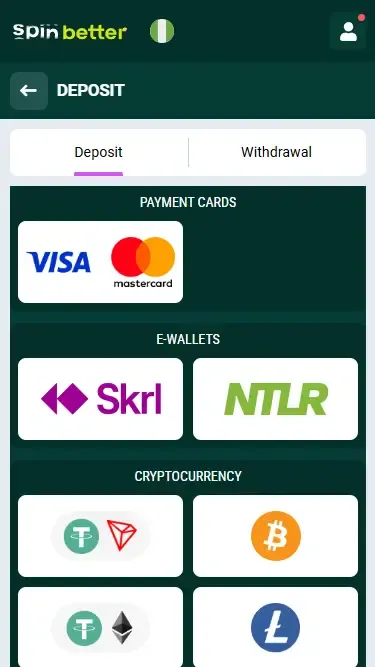
Spinbetter accepts many payment methods, allowing Nigerian customers to deposit and withdraw with ease. The exact available methods may vary slightly in your account, but common options include:
- Bank cards (Visa, Mastercard) — for secure and fast deposits.
- E-wallets — such as popular digital wallets available in your region.
- Cryptocurrencies — like Bitcoin and other popular coins (for fast transfer speed).
Spinbetter does not charge a commission on deposits; meaning the full amount you deposit is credited to your account. The minimum deposit is usually about 300 NGN, and deposits are processed instantly, so you can start betting right away.
Withdrawals are generally processed using the same method you used to deposit, and most payouts are completed within 15 minutes (your time), but the actual time will depend on the method you choose.
| Method | Processing Time | Commission | Minimum Deposit |
|---|---|---|---|
| Visa / Mastercard | Instant | No fee | ~300 NGN |
| E-wallets | Instant | No fee | ~300 NGN |
| Cryptocurrency | Fast | Network fee only | Varies |
Common Registration Problems
Although the Spinbetter registration process is designed to be simple, technical issues and verification steps can still delay or disrupt account creation.
Email or SMS Confirmation Not Received
In some cases, after completing the Spinbetter registration process, you may not receive the confirmation email or SMS immediately. This can happen due to a typing error in your contact details, delays on your email server, or messages being sent to the spam/junk folder. Always make sure you enter your email or phone number correctly and check your spam folder if the message does not arrive within a few minutes.
If you still haven't received the confirmation, request that the code or link be resent, or contact customer support for assistance.
Account Already Registered
If you receive a message that your details are already registered, it usually means:
- You've already created a Spinbetter account with that email or phone number.
- Someone else may have registered using your contact details.
Here, you can also try logging in using any alternative method, or simply use the Forgot Password? option to regain access to your account. If that still doesn't work, please contact support to help resolve the issue.
Problems with Account Verification
Verification takes longer than expected for some players. This can happen when your documents are unclear (blurry photo, unreadable text), or when additional validation is required due to the payment method. Spinbetter support only requests extra scans of your ID to ensure your safety and protect your account.
If your verification is taking too long, contact support with clear copies of your documents. This usually speeds up the process.
Is Spinbetter Safe and Legal in Nigeria
Spinbetter is a global casino and sports betting site with an established gaming licence under the jurisdiction of Curaçao, a gaming regulator that supervises many betting sites worldwide and enforces fair play and safety standards. This means Nigerian players can register, place bets, and play casino games without restrictions. However, the operator must comply with certain international regulations, even though it is not a local Nigerian licence holder.
Licensing, Security, and Fair Play
Spinbetter is an online casino and sports betting site licensed in jurisdictions such as Curaçao, and the official website uses advanced encryption and security to protect players' accounts and funds. In other words, your personal information and money transactions are encrypted and protected from third parties.
The site also provides tools that help players stay in control, such as deposit limits and account protection settings, which are important parts of responsible gaming.
Sports Betting and Casino Access
Spinbetter in Nigeria legally allows players to open an account, deposit, and play in Nigeria, as it accepts Nigerian Naira (NGN) and offers sports betting and casino games worldwide. The platform's terms state that a user must be of legal age and must not provide false information during registration in order to comply with safety and fair play principles.
Pros and Cons
Pros
- Fast, instant deposits with no commission
- Multiple payment methods including cards, e-wallets, and crypto
- Welcome bonuses and promotions (promo code) for new players
- Secure data protection and encryption technology
Cons
- Verification can take longer if documents are unclear
- Occasional delays in email/SMS confirmations
- Some users online report mixed withdrawal experiences (varies by method and region)
FAQ (Frequently Asked Questions)
Spinbetter is a global online casino and sportsbook licensed under Curaçao—it is owned by a company that provides betting and gaming services in dozens of countries worldwide.
Yes, the online bookmaker Spinbetter will require you to complete the account verification form to enable withdrawals.
Each player can choose one welcome bonus: a sports first-deposit bonus or a casino welcome package + 150 free spins.
If you selected a bonus during registration, to receive it you need to complete your profile and make a deposit of at least the amount specified in the bonus terms and conditions. If you postponed your bonus selection, go to the Bonus section of your account, choose one of the two welcome bonuses offered, and make a deposit.
No — try the password reset option first. If you still can't access it, contact support instead of creating another account.
Spinbetter offers 24/7 support via live chat, email, or social media.
Yes - You can register on the app and mobile site, so you can sign up on any smartphone or tablet device.