Spinbetter Login
Welcome Bonus
For new players
+ 150 Free Spins
18+ only. T&Cs apply.
This article provides an overview of the Spinbetter Login process for the Nigeria region. We will break down all the ways to access your Spinbetter account and everything related to it. This includes common access issues and a password recovery guide.
We will also teach you how to use Spinbetter Support, explain all the account features available after registration, and how to secure your account.
Spinbetter Login and Account Access
When you enter the website, you land on the homepage. In the top right corner, you'll see a "Log In" button. Clicking it opens a window where you can enter your username and password. Check out all the ways you can access your Spinbetter account:
- Using Your Mobile Phone: Enter the 10-digit phone number after the Nigerian country code. It will look like this: +234 XXX XXX XXXX.
- Using your ID Number: If you have completed KYC before, you can enter your NIN.
- Using your E-mail: You can enter the email you used during registration.
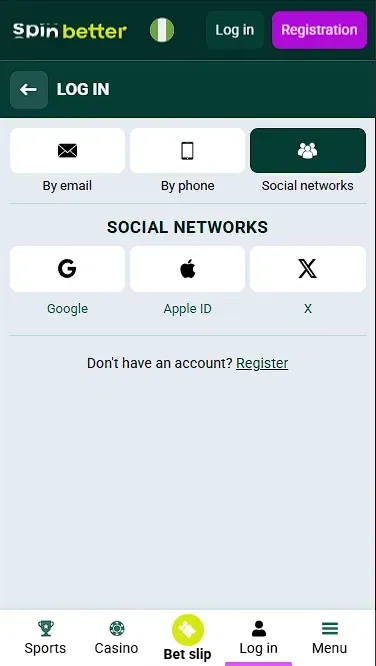
- Using Social Media: Choose a Google, Apple, X.com, or MetaMask account to sign in.
You can also have the website remember your previously entered details, or reset your password if you've forgotten it. We'll make sure to explain how to do that later.
| Login Method | Required Data | Available On | Notes |
|---|---|---|---|
| Phone Number | +234 XXX XXX XXXX + password | Website, App | Must select country code |
| Registered email + password | Website, App | Standard login method | |
| ID (NIN) | National ID Number | Website, App | Available after KYC |
| Social Media | Google / Apple / X / MetaMask | Website | Not always available in app |
Log In to Your Account
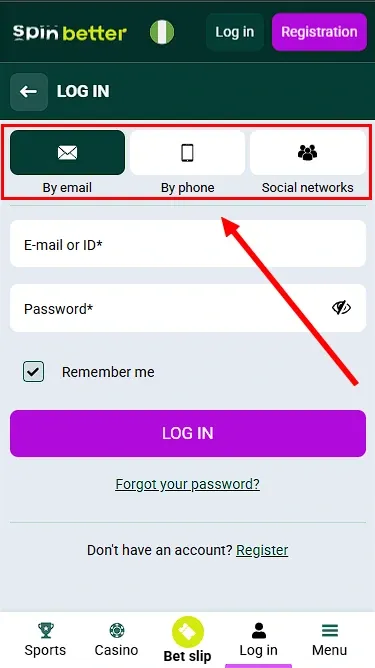
This section describes the Spinbetter Nigeria login process. First, we'll explain the entire process in a step-by-step guide. Then, we will show you how to log in on the website using your email or phone number.
General Guide
- 1Go to the spinbetter.com website to access the login page.
- 2In the top-right corner, click Log In.
- 3Enter your email/phone number and password.
- 4Click the blue button below the email and password fields.
After a short moment, the website will process your details, and you will be signed in.
Social Nets Login Pros & Cons
While signing in through social media is very convenient and takes much less time, there are some hidden hurdles you may not notice right away. Below is an overview.
| Pros | Cons |
|---|---|
| Faster access | You'll still need to fill in all your details |
| No need to confirm your email or phone number | Automatically generated names and PINs are hard to remember |
| Your username and password are generated for you | It's harder to recover the account if you lose access to your social media |
Logging in through social media is a good alternative if you need to quickly create an account and start using it, but the benefit is marginal.
Login via the App and Mobile Version
Spinbetter isn't just a website—it's also a mobile app. It lets you place bets more easily from anywhere, so you're not tied to your laptop or PC. If this is your preferred way to access the website, stay tuned to learn how to use these versions.
First, download the Spinbetter APK from the Spinbetter website. It's not available on Google Play or the App Store, so go to spinbetter.games and tap "Download App".
Alternatively, if you're an Android user, you can download the APK using the same link above and scroll down the page until you reach the "How to download an Online Casino" section.
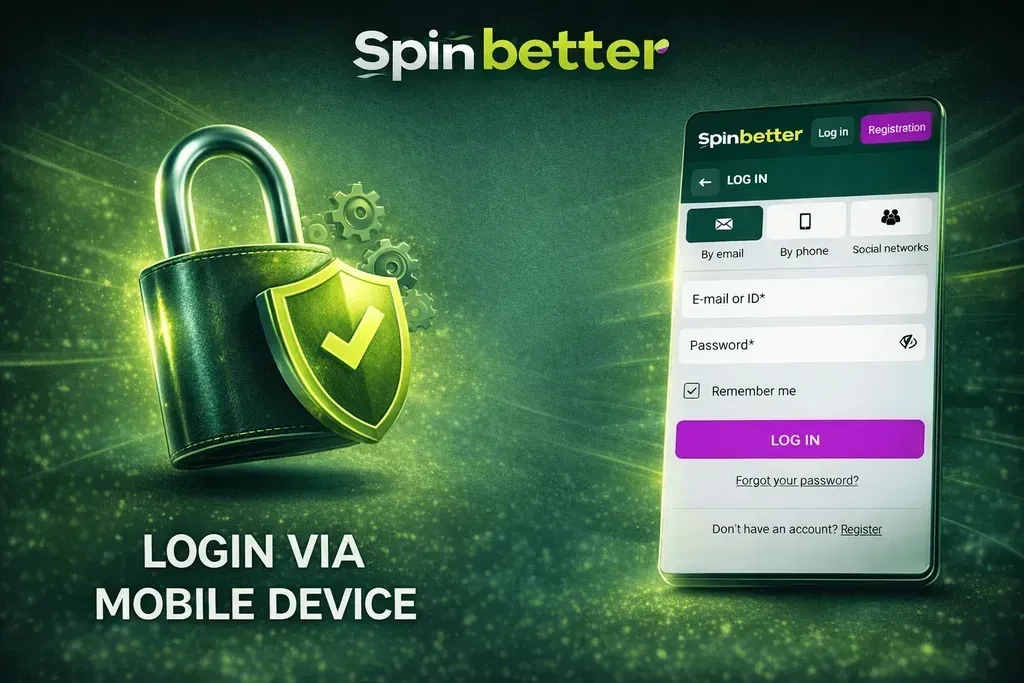
You can only use Email, ID, or phone number to access your account. Social media login wasn't available, at least in my version of the app. If it's available in yours, you can refer to the "How to Log In with Social Networks" section of this article.
Sign In via Mobile Version
Accessing via a mobile browser is a simple process. It's the same as logging in to your account on a computer:
- Enter the website's address
- Open the Sandwich menu at the top right of the page
- Tap "Log In" and then either enter your email/phone number and secret code, or choose to sign in with socials.
Voila, you're authenticated and free to bet.
Login on the Mirror Website
The login process isn't any different from the normal login you use on the website.
- 1Open the mirror website to get to the login page.
- 2In the top-right corner, tap Log In.
- 3Enter your Email/phone number and password.
- 4Tap the blue button under the email and access code fields.
What Is a Spinbetter Mirror
Mirrors are links to the same website that you might need if your ISP doesn't allow you to access the website using its normal address. If something's wrong and the website loads slowly or doesn't open, use the Spinbetter mirror.
Common Login Problems
Some of the most common problems when signing in include entering an incorrect security key or login details, a blocked account, or technical issues with the website itself. Let's look at each case.
Incorrect Password or Login Details
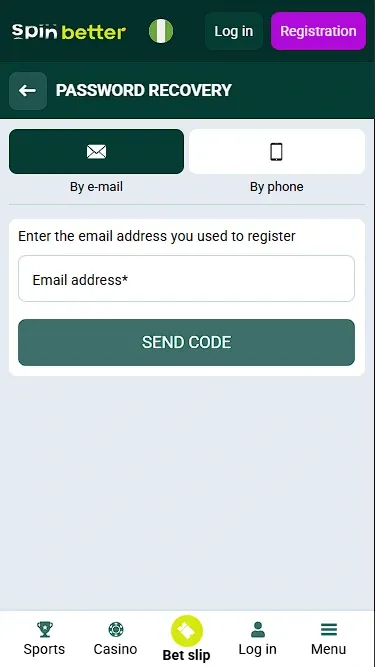
This usually happens if you enter the wrong password, or use the wrong email address or phone number. Most times, it's enough to double-check the details you entered and try again. If you still can't access your account, try resetting the password as described in the section above.
Blocked or Suspended Account
This may happen if your account has been linked to suspicious activity. Such activity may include signing in from multiple devices, changing your IP address frequently, or unusual actions. If you believe your account was blocked by mistake, you can contact Support. More on this later.
Technical Login Problems and Site Errors
Sometimes, you may be unable to access your account due to server-side issues. If that's the case, there's nothing you can do but wait until Spinbetter's service fixes it.
How to Protect Your Account
There are several ways to add extra protection to your account, and we'll cover all of them. The main way to protect your account is to enable 2FA (Two-Factor Authentication), which provides strong security.
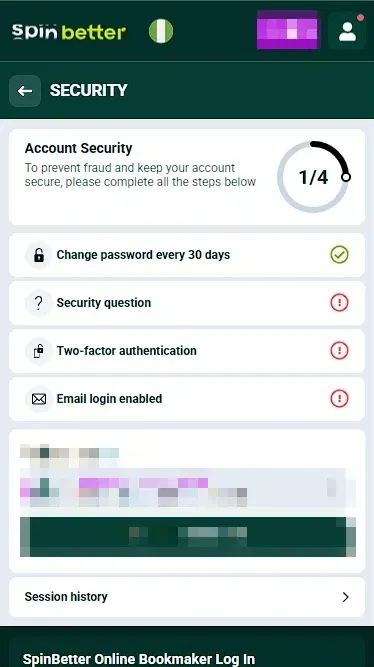
Two-Factor Authentication and Password Safety
What's Two-Factor Authentication? It's an extra layer of protection that uses an app to generate a 6-digit code that changes constantly and is only active for a short time. There are multiple apps you can use for it:
- Microsoft Authenticator
- Google Authenticator
- Aegis
- Bitwarden
- Authy
These apps can be downloaded on your phone, but I recommend using only one to keep all your 2FA-linked accounts safe. As for password safety, always use strong passwords. A strong secret code includes numbers, letters, uppercase and lowercase characters, and punctuation.

Account Dashboard and Other Features
Here are all the features you can access after you're authenticated on Spinbetter:
- Deposit money using mobile payments, e-wallets, and crypto.
- Withdraw funds after you go through the KYC procedure.
- Check your bet and transaction history
- Check if you're eligible for Casino VIP Cashback
- Receive bonuses and gifts
- Invite your friends to become an affiliate of Spinbetter
- Contact Support
- Set up your personal profile and complete KYC.
- Change your account and security settings.
You can also see how many bonus points you have and how many naira are stored in your account.
Access to Casino Games, Sports Betting, and Bonuses
As soon as you log in, you can use a variety of sections, which include:
- Live events, where you can place bets instantly.
- Sports section with upcoming matches.
- Esports section with upcoming games.
- Check out all promo offers and bonuses.
- Play casino and live casino, where you can find all popular games.
- Find even more games, created for Spinbetter.
There's entertainment for everyone, so don't wait—jump in!
Customer Support for Login Issues
Customer support is the most important tab to use whenever you run into any issues. In this section, we'll show you how to contact Spinbetter Support.
How to Contact Spinbetter Customer Support
Here's how to contact customer support:
- Open your account page. In the left menu, go to the Support section under Extra. Click it.
- You can contact support in two ways: either chat directly with an online consultant, or leave a query.
- To contact an Online Consultant, click "Write a Message." After that, a window will pop up where you can write your request and attach files.
- If you want to leave a query, all you need to do is enter your question. Your name and email will be filled in automatically based on the details you provided during registration. Then click Send, and that's it.
Customer support will get back to you shortly. It's always a good idea to state your question clearly and fully to avoid delays.
Conclusion
Now you know how to log in, restore access to Spinbetter, and protect your account, contact support, and what benefits you get after signing in. This guide covers every question you may have, so be sure to refer to it if you have any trouble with account access. Bet safely!
Pros and Cons
Pros
- Access various forms of entertainment
- Withdraw and deposit your funds
- Protect your account
- Contact customer support at any time
- Access promo offers and bonus programmes
Cons
- You need to complete the registration process
- You can't place bets or play games if you're not authenticated
- Using your account on someone else's device may put it at risk of being stolen
- You can't access bonus and promo programmes
FAQ (Frequently Asked Questions)
Go to the website or mobile app, tap the button at the top of the page, then enter your email/phone number and password, or choose a social media account to log in with.
If this happens, tap Log In on the main page and then "Forgot your password". This will start the recovery process.
Yes, you can. You can use Google, iCloud, X.com, or Metamask.
Yes, the website is safe and secure. Your data won't be used anywhere else.
Yes, it's possible. Avoid signing in on too many devices, as this may get your account suspended.
Open your personal page after authentication. Navigate to the menu on the left and find the "Extra" section. Scroll down and select "Customer Support". Enter your query and wait for a response.